Fix the clip without reshooting
When the pose and lighting are right but the outfit is not, keep the take and patch the clothing.
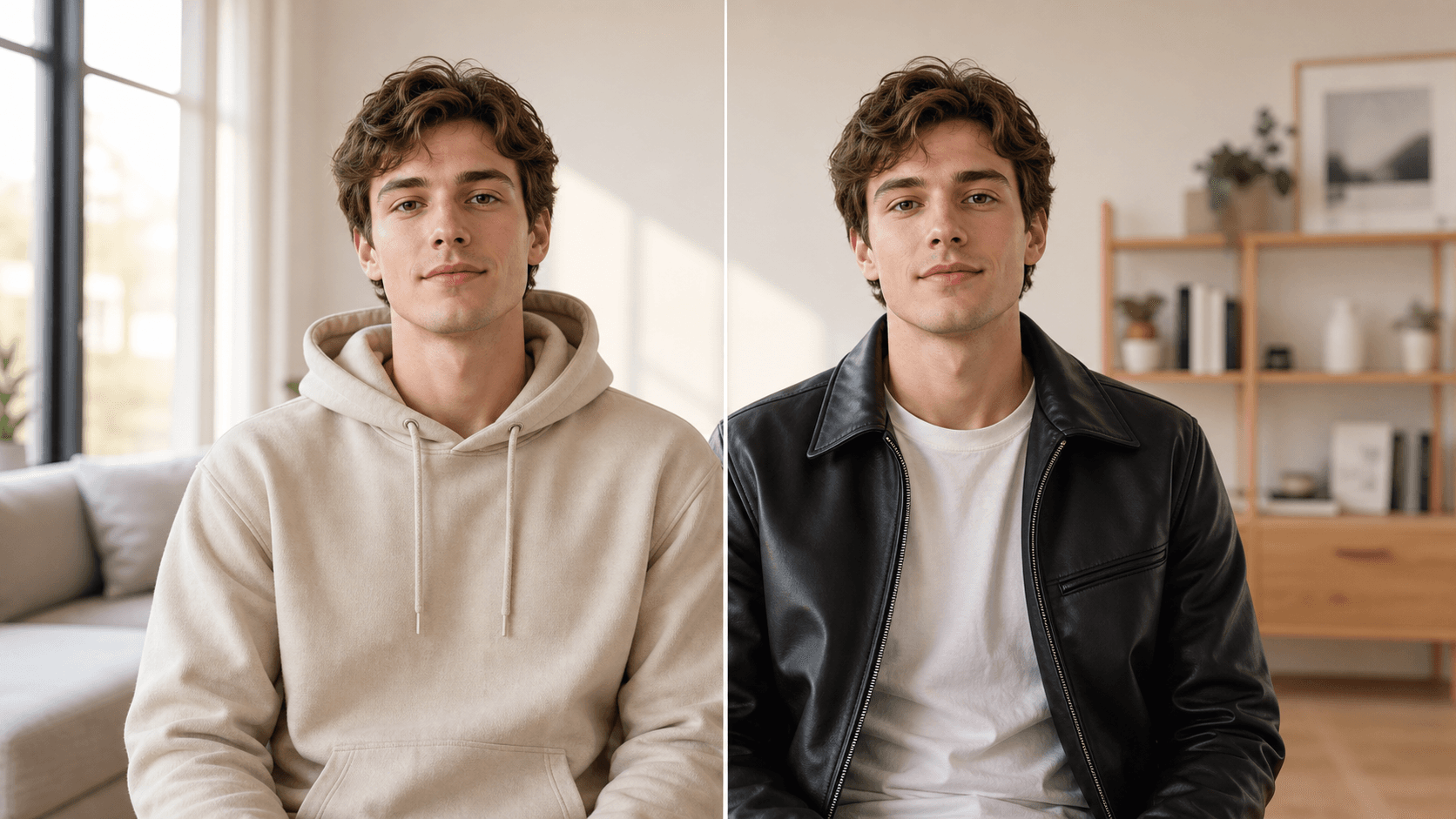
Change an outfit in footage you already shot. Keep the face, pose, camera movement, and room stable while one clothing detail changes.
Built for creators who need one clean before-and-after edit, not a full editing suite.
Why use OneThing Video
When the pose and lighting are right but the outfit is not, keep the take and patch the clothing.
Turn a simple try-on or style change into a short clip that is easy to compare and share.
Say what should change and name the face, movement, lighting, and background details that should stay untouched.
How it works
Start with footage you own or are authorized to edit.
Use the timeline range to keep the edit focused.
Describe what changes and what stays unchanged.
Compare the edited range before accepting the render.
Use cases
Test a jacket, dress, shirt color, or accessory without recording the motion again.
Show a quick style direction before committing to a full shoot, edit, or product page.
Save a good video where one outfit choice does not match the moment.
Prompt examples
Change my jacket to a black leather jacket. Keep my face, body, motion, and background unchanged.
Replace the blue shirt with a clean white shirt while preserving the original lighting.
Make the dress dark green and keep the pose and camera movement the same.
Upload only footage you own or have permission to edit. OneThing Video is made for precise visual changes, not identity swaps, impersonation, or watermark removal.
Describe one clear change and name the details that should remain untouched for a more controlled result.
FAQ
Yes. Edit one selected moment in an existing clip and describe everything around the outfit that should stay unchanged.
Describe the garment, color, material, fit, and any details you want to preserve in the text prompt.
No. Use OneThing Video only with footage you own or are authorized to edit. Identity swaps and impersonation are not supported.
OneThing Video
Upload a short video, select the range, and describe the outfit change in plain English.