Make a short clip more memorable
Add a visible effect to the moment viewers already notice instead of filtering the whole video.
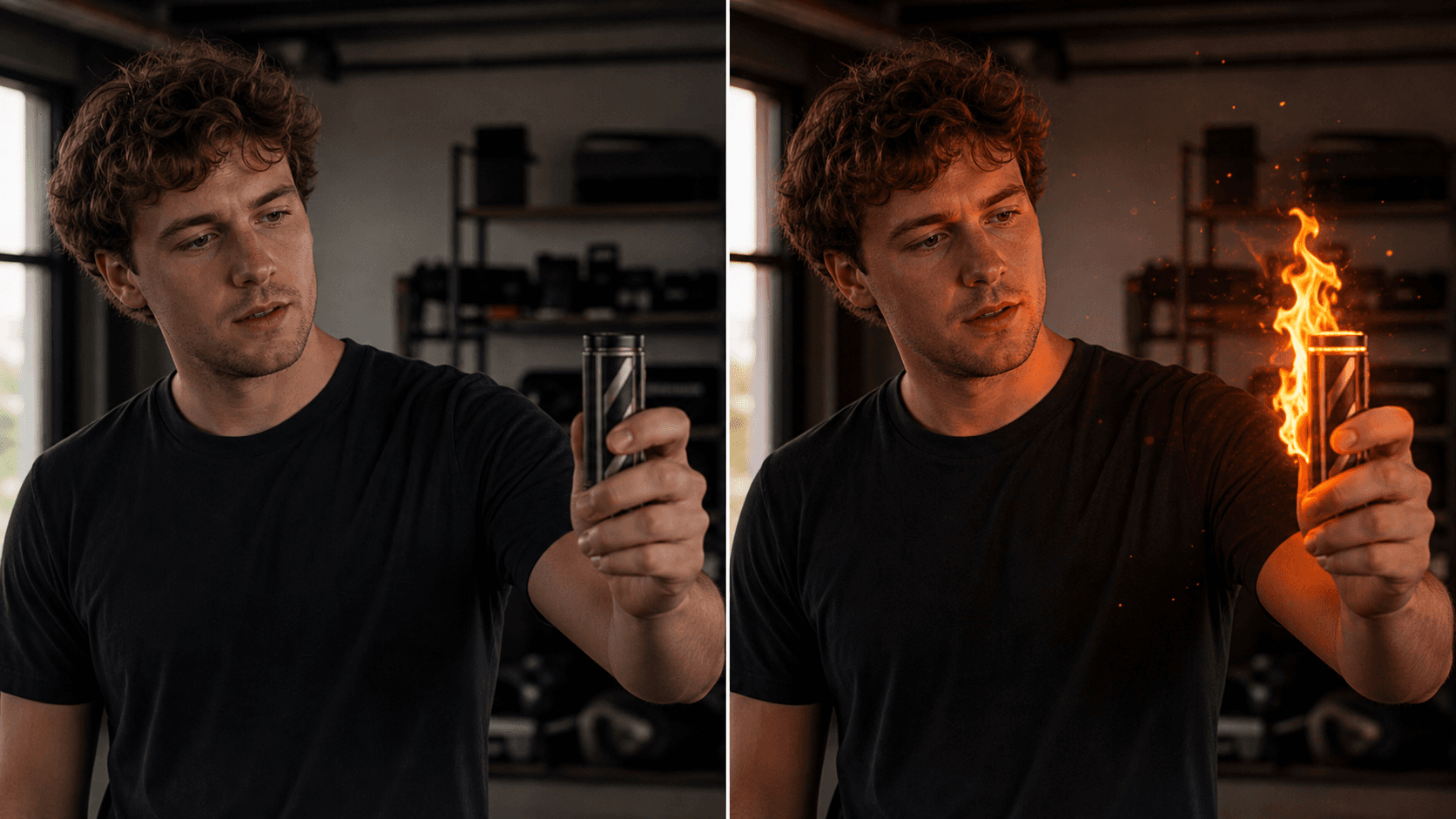
Select the action beat and describe a contained flame, ember, fire glow, or heat effect. Tell the model which people, objects, motion, and scene details should stay.
Focused on flame and heat effects. Use the broader magic-effects workflow for lightning, energy trails, and other AI VFX.
Why use OneThing Video
Add a visible effect to the moment viewers already notice instead of filtering the whole video.
A narrow effect prompt reduces accidental changes to face, clothing, room, or camera movement.
Create visual before-and-after clips for Reels, Shorts, and TikTok-style posts.
How it works
Start with footage you own or are authorized to edit.
Use the timeline range to keep the edit focused.
Describe what changes and what stays unchanged.
Compare the edited range before accepting the render.
Use cases
Add a contained flame or heat glow around a prop, hand movement, or product reveal.
Add restrained embers or sparks around a gesture without changing the person.
Add a localized heat distortion behind a hot object while leaving the original clip structure intact.
Prompt examples
Add a small fire glow around the object and keep the hand unchanged.
Add a short trail of glowing embers behind the moving object without changing the room.
Create subtle heat shimmer above the prop and keep the original timing.
Upload only footage you own or have permission to edit. OneThing Video is made for precise visual changes, not identity swaps, impersonation, or watermark removal.
Describe one clear change and name the details that should remain untouched for a more controlled result.
FAQ
Yes. Select the moment and describe a contained fire or glow effect, including its location and intensity.
Yes. You can describe fire glow, embers, sparks, or localized heat shimmer in the same focused edit.
No. OneThing Video applies one prompt-driven effect to a selected moment; it does not provide layered compositing.
OneThing Video
Choose the range, pick the effect direction, and describe what must stay natural.