Make the change instantly clear
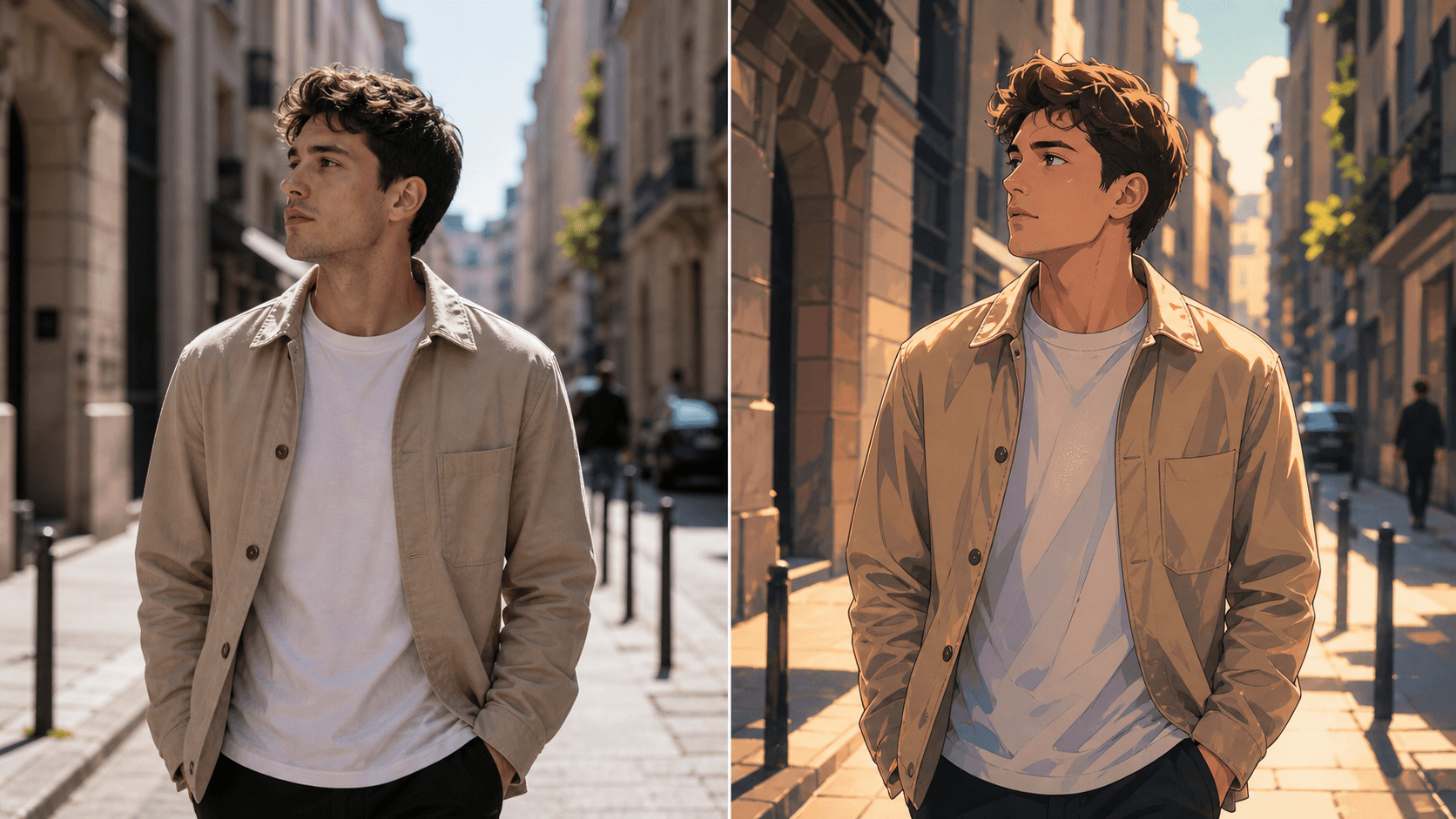
Turn one short moment into a shareable before-and-after without losing the original action.
Test an anime, cinematic, painted, or stylized direction on one selected moment without turning the product into a full editor.
For creators who want to explore a new visual direction while keeping the original clip recognizable.
Why use OneThing Video
Turn one short moment into a shareable before-and-after without losing the original action.
Keep the request tied to one selected moment and one clear style direction.
Ask to preserve motion and composition while changing the visual look.
How it works
Start with footage you own or are authorized to edit.
Use the timeline range to keep the edit focused.
Describe what changes and what stays unchanged.
Compare the edited range before accepting the render.
Use cases
Preview an anime-inspired version of a short creator or product moment.
Try a filmic, color-graded, or graphic look before deeper editing work.
Use a clear visual contrast to make short creator and product clips more memorable.
Prompt examples
Apply a subtle anime style and keep the person and motion recognizable.
Make this selected moment more cinematic without changing the camera movement.
Use a painted style on the background while preserving the subject.
Upload only footage you own or have permission to edit. OneThing Video is made for precise visual changes, not identity swaps, impersonation, or watermark removal.
Describe one clear change and name the details that should remain untouched for a more controlled result.
FAQ
Yes. Select a range, describe one style direction, and name the subject and motion details to preserve.
You can request an anime-inspired look while asking to preserve identity, motion, and composition.
No. OneThing Video applies a single visible style change to a short selected clip.
OneThing Video
Keep the edit narrow enough to compare before and after without losing the original clip.