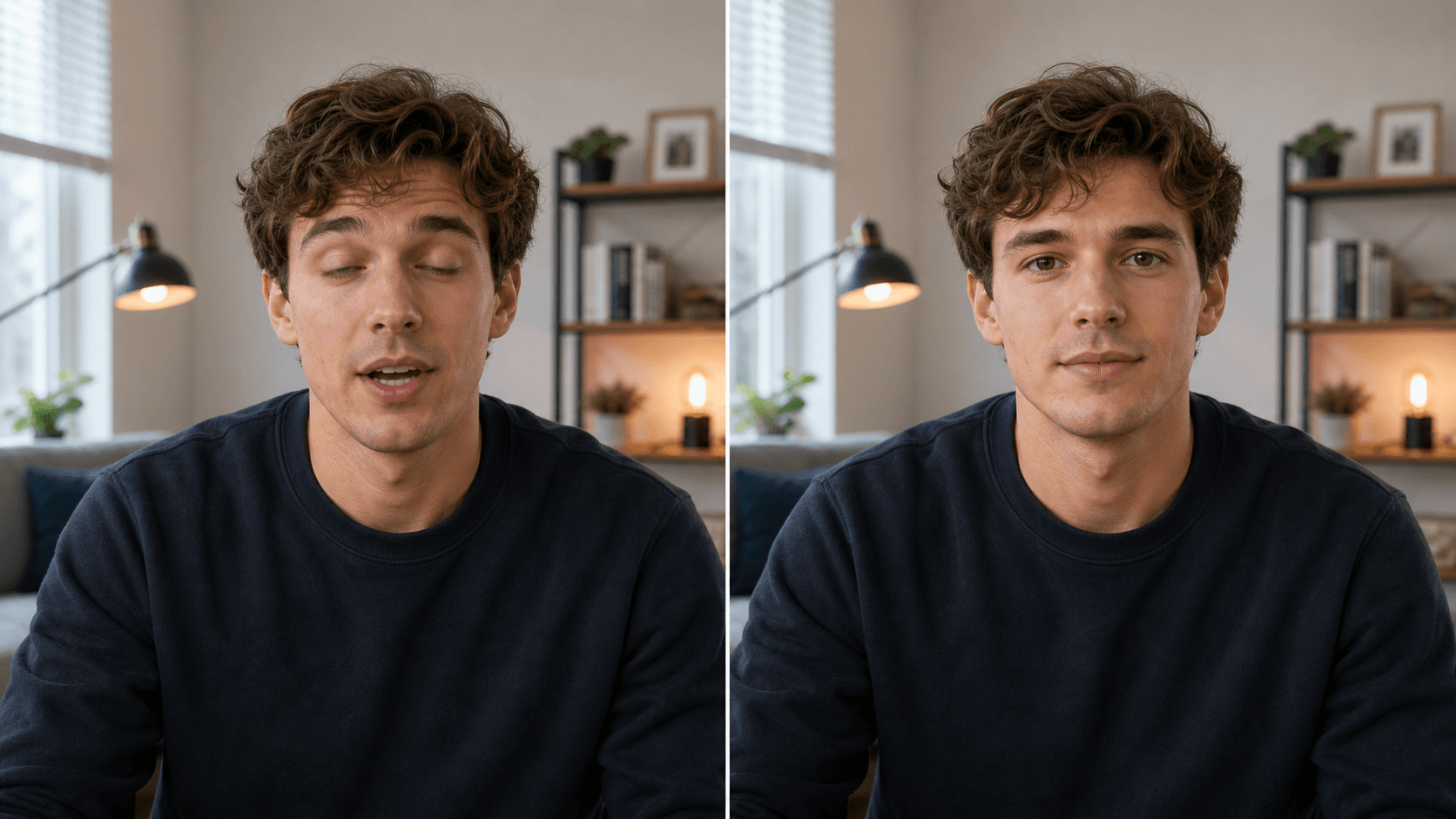
Rescue usable footage
Keep a clip where the speech, movement, and framing work, then repair the distracting moment.
Do not throw away a good take because of one strange frame. Select the moment, prompt the fix, and keep the clip intact.
Best for owned footage where the goal is a natural repair, not a new identity or new performance.
Why use OneThing Video
Keep a clip where the speech, movement, and framing work, then repair the distracting moment.
Focus on one awkward beat instead of restyling the entire video.
Use the tool for a natural fix in your own clip, never for a different identity or deceptive edit.
How it works
Start with footage you own or are authorized to edit.
Use the timeline range to keep the edit focused.
Describe what changes and what stays unchanged.
Compare the edited range before accepting the render.
Use cases
Repair a blink or facial frame in a selected part of a talking clip.
Make a gesture or pose look more natural without changing the whole scene.
Save a short video where the message works but one moment does not.
Prompt examples
Fix the awkward blink and keep my identity and head position unchanged.
Make the hand gesture look more natural while preserving the rest of the video.
Smooth this awkward facial moment and keep the original lighting.
Upload only footage you own or have permission to edit. OneThing Video is made for precise visual changes, not identity swaps, impersonation, or watermark removal.
Describe one clear change and name the details that should remain untouched for a more controlled result.
FAQ
Yes. Select a short moment in footage you own or are authorized to edit, then describe the natural correction.
Yes. Describe a small pose or gesture correction and list the rest of the clip details that should remain intact.
The prompt applies to your selected range while the broader video structure stays in place.
OneThing Video
Select the awkward range and prompt a natural fix with explicit preservation instructions.