Test a product concept in the same shot
When the performance is good, explore a described product direction instead of scheduling another capture.
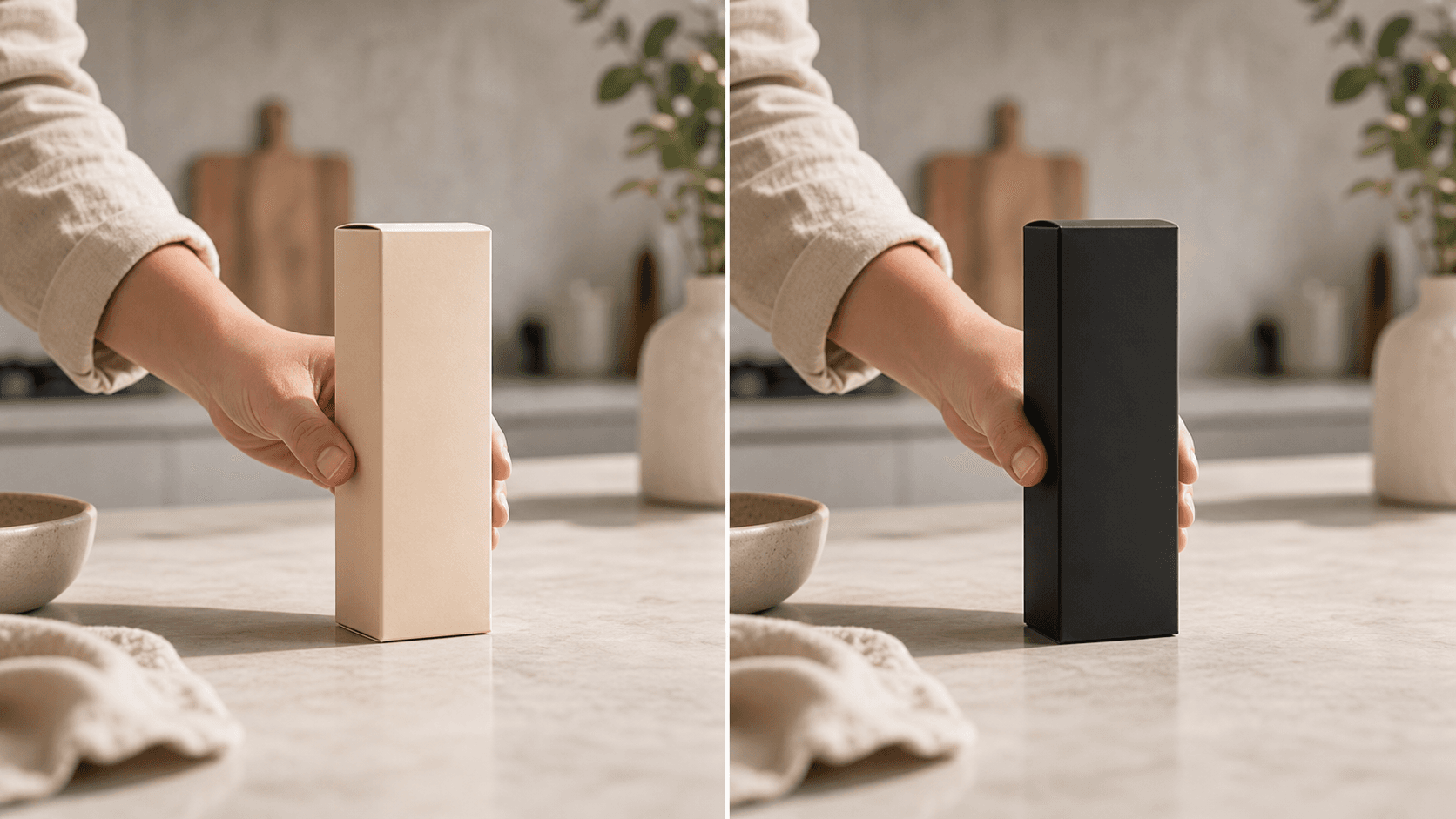
Describe a new product or package in text and apply it to footage where the hand movement, framing, and timing already work.
Best for product and packaging concepts. Use general object replacement for everyday props, or product variants for several separate creative directions.
Why use OneThing Video
When the performance is good, explore a described product direction instead of scheduling another capture.
Test a bottle, label, box, color, or prop before producing a polished campaign.
Name the exact product change and the scene details that must remain intact.
How it works
Start with footage you own or are authorized to edit.
Use the timeline range to keep the edit focused.
Describe what changes and what stays unchanged.
Compare the edited range before accepting the render.
Use cases
Create a product concept from a short close-up, unboxing, or tabletop clip.
Explore a described bottle, box, or label direction in footage where the gesture and framing already work.
Explore one color or material concept at a time without repeating the original take.
Prompt examples
Replace the bottle with a matte black bottle with a white label and keep the hand unchanged.
Change the package color to matte black while preserving the table reflection.
Change the label to a minimal white label with black type and keep the original camera movement.
Upload only footage you own or have permission to edit. OneThing Video is made for precise visual changes, not identity swaps, impersonation, or watermark removal.
Describe one clear change and name the details that should remain untouched for a more controlled result.
FAQ
Yes. Select the product moment, describe the new product, and list the surrounding details that should stay unchanged.
Use a precise text prompt covering the product's shape, color, material, packaging, label, and size.
No. The current editor uses the uploaded video and a text prompt, not a separate product photo. Describe the shape, color, material, packaging, and size, then review the result as a generated concept.
OneThing Video
Select the product moment and describe the exact shape, material, color, and label you want.