Test more creative directions
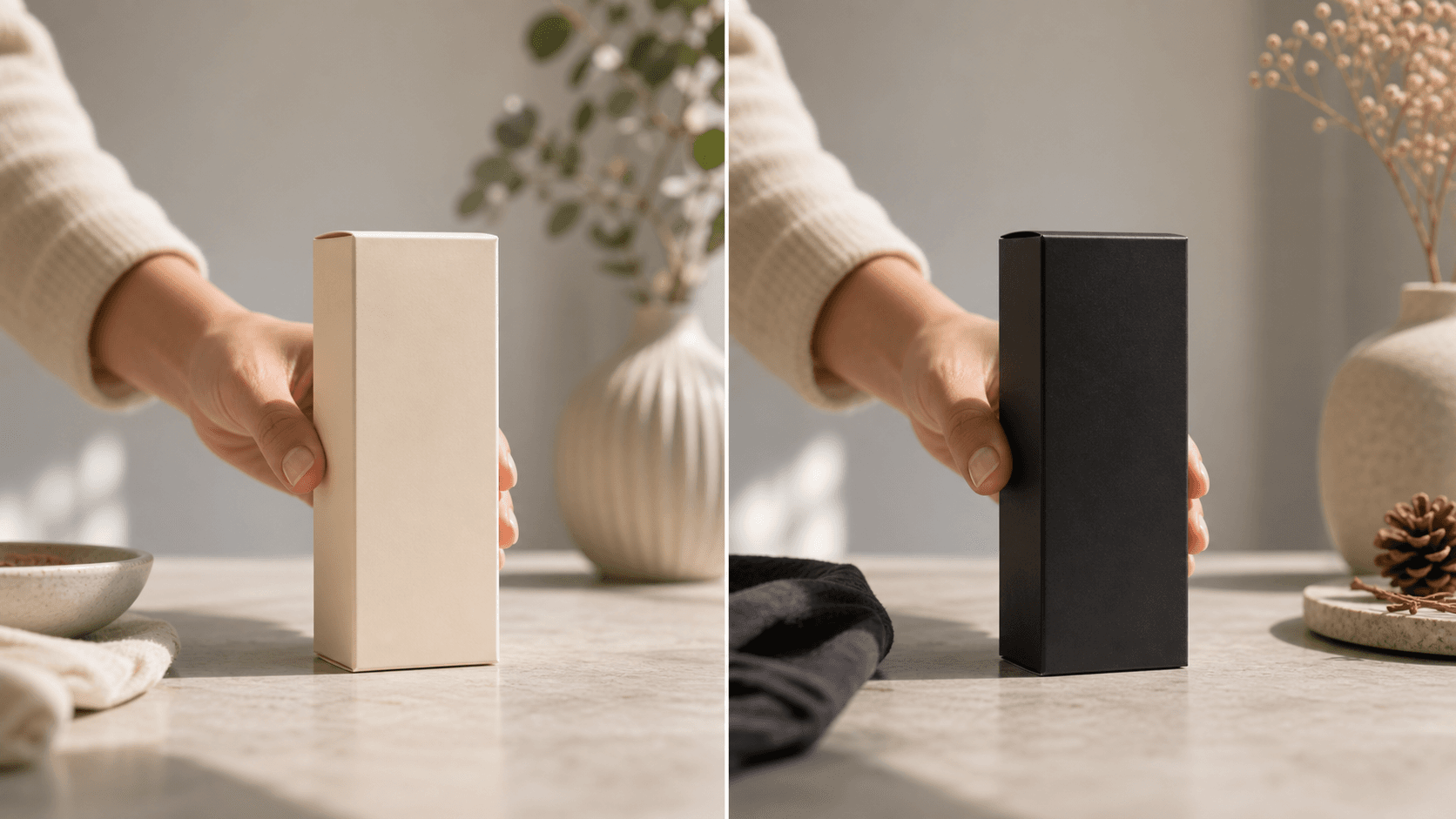
Preview product, packaging, color, prop, or scene variants before committing production budget.
Turn one useful product clip into controlled visual variants for ads, product pages, seasonal campaigns, and localization.
For teams that need quick visual variants while keeping the original performance and production work.
Why use OneThing Video
Preview product, packaging, color, prop, or scene variants before committing production budget.
When the hand movement and framing already work, reuse the take and vary only the target detail.
Change one visible detail at a time so your team can review the difference clearly.
How it works
Start with footage you own or are authorized to edit.
Use the timeline range to keep the edit focused.
Describe what changes and what stays unchanged.
Compare the edited range before accepting the render.
Use cases
Try holiday packaging, colorways, or prop swaps without another shoot.
Show how a product, label, or package could look for a market-specific test.
Generate quick visual options for PDPs, ad tests, and paid social experiments.
Prompt examples
Create a variant with the black package and keep the hand unchanged.
Change the product color to red for a seasonal ad while preserving the original shot.
Replace the tabletop prop with a clean white cup and keep the camera movement.
Upload only footage you own or have permission to edit. OneThing Video is made for precise visual changes, not identity swaps, impersonation, or watermark removal.
Describe one clear change and name the details that should remain untouched for a more controlled result.
FAQ
Yes. Reuse an existing clip and change one product, color, package, prop, or scene detail at a time.
No. It creates visual variants inside product clips you own or are authorized to edit.
Yes. Create quick visual concepts for ecommerce pages, paid social, and campaign experiments.
OneThing Video
Start from the take you already have and change one visible detail per prompt.